
Rhode Island SEO Analytics & Reporting — Built for Your P&L

Stop Reporting on Data. Start Reporting on Business.
I’m a four‑time business owner, so the first thing I fix is the measurement layer — GA4, Google Search Console, and Bing Webmaster Tools — so your monthly and quarterly reports match what you see in the bank, not just in a dashboard.
You get one clear view of leads, booked work, and revenue, instead of pages of vanity metrics you can’t act on.
At Omni Search Labs, analytics and reporting exist for one reason: to give you enough clarity to make better decisions, not to build pretty charts.
You can't manage what you don't measure. If you're not measuring, you're guessing.
The High Cost of Vanity Metrics
If your reports say “traffic is up” but the bank account hasn’t moved, something is off.
Most agencies report on what’s easy to count — rankings, visits, impressions, clicks — instead of what actually matters: calls, form fills, and orders.
I still track those activity signals, but they’re supporting actors, not the star of the show. The headline in your reports is always tied to business impact: qualified leads, booked work, and revenue, plus whether you’re gaining or losing ground in Google, Bing, Maps, PPC, and AI search results.
I don’t hide the “ugly” data. Underperformers show up clearly labeled, with a recommendation on whether to fix, pause, or kill them. The only numbers I filter out are fake or misleading — bot traffic, spam, and bad tracking — so when you see bad news, it’s real.
If a number helps you make a better business decision, it stays. If it just makes a slide look impressive, it moves to the background.
Analytics Isn't a Report. It's a Loop.
Most businesses treat analytics as a month‑end recap. I use it as a loop that runs all year: baseline, strategy input, activity checks, and performance to goal.
Stage 1 — Audit Baseline:
Before any strategy, I document where you actually stand — not where you hope you stand.
Snapshot of search performance, technical health, ad efficiency, and competitive position
Baseline every future goal and result is measured against
Stage 2 — Strategy Input (Leading Data):
The baseline shows where the real upside is.
Pages that can be recovered instead of rebuilt
Search terms and topics that are realistically within reach
Where competitors are ahead — and where you can take ground first
This leading data tells us where to start so early effort isn’t guesswork.
What a Complete Audit Baseline Actually Covers
A real baseline audit isn’t one tool and one report. It’s a stitched‑together picture of your business across every important channel.
Depending on scope, that usually includes:
Technical & crawl audit: Site structure, platforms, and key plugins/integrations, to surface technical issues before any other work begins.
Search presence: Google Search Console and Bing Webmaster Tools checks for crawl errors, index gaps, manual actions, and the queries actually driving impressions and clicks.
Analytics configuration: GA4 reviewed for conversion accuracy, filters, and attribution — because “installed” and “configured correctly” are not the same thing.
Advertising performance: Google Ads, Microsoft Ads, and Merchant Center reviewed for wasted spend, feed health, and issues that inflate cost‑per‑click.
Competitive position: Your top competitors benchmarked on the same metrics, so you know where you stand in the market you actually compete in.
From there, I measure progress the way finance does: year‑over‑year, when possible, quarter‑over‑quarter as data matures, and month‑over‑month at the start — always looking for trend, not noise.
Stage 4 — Performance to Goal (Trailing Data):
Then we check the trailing indicators that prove whether the strategy is doing its job:
Rankings, organic traffic, conversions, qualified leads, share of voice, and AI visibility from GA4 and Search Console
This is what separates a managed engagement from a one‑time project: we can course‑correct mid‑stream instead of waiting for a disappointing quarter‑end recap. The trailing data from one phase becomes the leading input for the next.
Stage 3 — Activity Measurement:
As work rolls out, we track the signals that move before revenue does:
Content published, technical fixes implemented, citations built, structured data added
Early shifts in crawl behavior, visibility, and engagement that show we’re on the right track
The trailing data from this period becomes the leading input for the next phase. The loop closes — and starts again.
Why Ongoing Auditing Matters
Search isn’t static. Algorithms change, AI surfaces evolve, and competitors move.
Without ongoing auditing:
A baseline taken in January can tell a very different story by July
Quiet issues — broken pages, removed content, bad migrations — can erode hard‑won visibility before anyone notices
For teams, franchises, and multi‑location businesses, continuous crawl auditing lets us:
Cycle through the site a few pages at a time
Catch technical issues or content changes quickly, before rankings and AI visibility slip across locations
The goal isn’t to hunt for problems. It’s to protect the visibility you’ve already paid to build.
What the Reporting Actually Looks Like — And Why
Omni Search Labs is a search shop, not a creative agency. Reports don’t win design awards; they help you decide what to do next.
You won’t get:
Custom‑branded dashboards built for show
Slide‑deck charts that look impressive but don’t change decisions
If you want data‑viz tools, I’ll happily point you to Tableau, Databox, or Looker.
You will get:
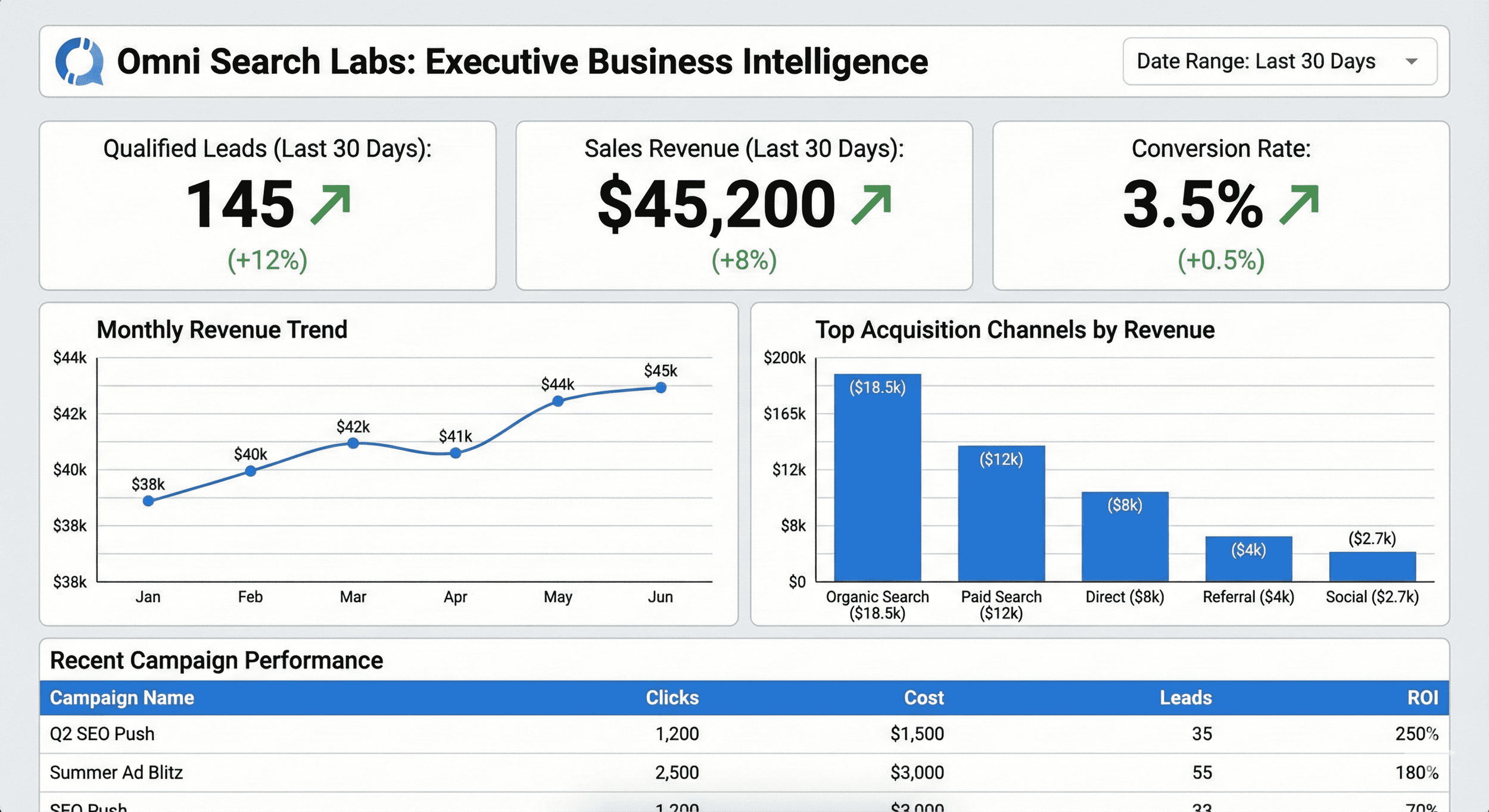
Simple, clean tables of the right numbers
A short narrative, in plain language, that explains what they mean in business terms
Specific recommendations on what to double‑down on, fix, or stop doing
What Changes When Analytics Is Working
When analytics and reporting are set up correctly:
Strategy decisions are grounded in verified data, not assumptions
You know whether work is producing results, and whether you’re gaining or losing ground in your market
Marketing investment becomes defensible because reporting ties directly to leads, conversions, and revenue
Problems get caught early. Algorithm shifts, competitor moves, or on‑site changes show up in the data while there’s still time to respond, not just recover.
What's at Stake When Analytics Isn't
Every decision made from misconfigured or unmonitored analytics is a candidate for being wrong:
Budget allocation
Campaign changes
Content investments
Hiring decisions
The biggest risk sits with businesses that “have had analytics for years” but have never had it audited. The numbers look plausible, but bot traffic, mis‑fired events, or migration gaps mean they’re not telling the truth.
The cost isn’t just wasted spend. It’s confidence in decisions that the data doesn’t actually support.
This Is Right For You If:
You get monthly reports from an agency or tool and still aren’t sure what to do next
Your reports look positive, but the phone and inbox don’t match the charts
You’ve never had GA4, Search Console, or your ad accounts professionally audited
You want to know how you compare to direct competitors, not just last month’s numbers
You have a team, agency, or franchisees editing your site and need to know quickly when changes hurt visibility
You need to justify marketing spend to stakeholders, and your current reports don’t give you the language to do that
If any of that sounds familiar, an Analytics & Reporting Review is the right starting point.
FAQ
-
Your current reports may already look fine on paper, but many owners still feel like they’re “missing the story” behind the numbers. I’m a four‑time business owner, so I focus reporting on what you actually run the business on: qualified leads, booked work, and revenue — not just visits, impressions, and rankings. Every report ends with a short plain‑language summary and clear next steps, so you know what to do, not just what happened.
-
I start by cleaning up and connecting your measurement stack: Google Analytics GA4, Google Business Profile, Google Search Console and Bing Webmaster Tools, plus Google Ads, Microsoft Ads, and Merchant Center if you use them. Once those are dialed in, I use that first‑party data to build simple monthly or quarterly reports you can read in a few minutes.
-
Both. I’ll audit and fix your GA4 configuration, events, and conversions, verify Search Console and Bing Webmaster Tools, and make sure everything is tracking the same story. If you need accounts created - I’ll do that too. Only after the data is trustworthy do we talk about what the reports say.
-
I recommend a quarterly review as the default, because 3‑month windows cut out most of the week‑to‑week noise and make real trends easier to see. Many clients also like a light monthly check‑in for key numbers, then a deeper quarterly review to decide what to adjust, pause, or double‑down on so budget decisions stay grounded in reality.
-
That’s exactly when this service helps most. I’ll sanity‑check your existing tracking, filter out bad data like bots and spam, and show you what the numbers actually say about calls, forms, and revenue so you can finally trust what you’re looking at.